
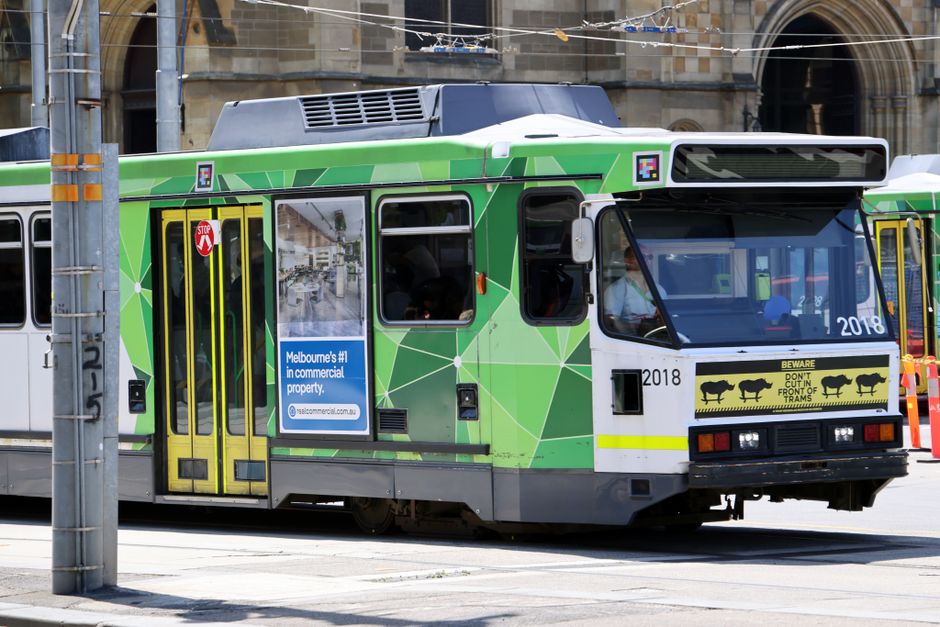
A Sunday arrival in Melbourne can set you up for Monday inspections if you complete three jobs in order: secure phone access, prepare one shareable rental document folder, and practise using your myki before the morning rush. Treat each job as a dependency for the next, so Monday begins with directions, documents and transport already working.
In April 1970, Apollo 13’s crew faced rising carbon dioxide inside the lunar module. The spacecraft had working filters, but the command module’s square canisters did not fit the lunar module’s round openings.
NASA engineer Ed Smylie and his colleagues had to make an adapter using materials already aboard the spacecraft. NASA’s historical account documents how the ground team developed instructions the astronauts could follow with items including plastic bags, cardboard and tape. The device worked, helping keep the air safe while the crew returned to Earth.
A Melbourne rental inspection carries vastly lower stakes. The useful connection is the order of operations: when time is short, success depends less on having everything nearby than on making the pieces work together.
Turn airport arrival into a working base
Your first Sunday goal is dependable phone access. Before leaving Melbourne Airport, connect to trusted Wi-Fi and save the address of your accommodation somewhere available offline. Include the host or reception contact, check-in instructions and any access code you have been given.
Then arrange a local SIM or activate the mobile service you prepared before flying. Test it rather than assuming it works. Open a map, load a webpage and send a message. If calls matter for rental enquiries, test one of those too.
Keep your original number available if it receives banking or identity verification codes. Replacing a SIM can interrupt access to accounts you may need while submitting an application, so check how your phone handles two numbers before changing anything.
Once you reach your accommodation, charge every device. Put a portable battery and charging cable beside Monday’s inspection kit. A saved route helps, but a working phone lets you respond when an agent changes a time, sends an entry instruction or asks for a document.
This is the same practical lesson behind The Phone at 8% Lucía Needed, and the Costs It Put at Risk: phone power and account access belong near the start of an arrival plan.
Build one folder you can show without searching
Rental applications may ask for identification, evidence of income or funds, employment information, rental history and references. Requirements vary by property and provider, so read each listing and application carefully.
Create one folder on your phone or laptop. Give every file a clear name such as “Passport,” “Visa status,” “Employment letter,” “Funds evidence” or “Rental reference.” Keep the originals unchanged and make application copies where needed.
Prepare a short rental profile with:
- Your full name and reliable contact details.
- Your preferred move-in timing.
- Your employment, study or income situation.
- Your rental history and referee details, where relevant.
- A brief note explaining any document a local applicant would usually provide but you do not yet have.
Check that every scan is readable. Open each file on your phone, because the document that looked fine on a laptop may be awkward to attach from a mobile browser. Store a backup in a secure account you can access without relying on one device.
Protect sensitive information. Share only what the legitimate application requires, confirm who is receiving it, and avoid sending identity documents through an unverified contact channel.
Smylie’s team could not send new equipment to Apollo 13. They had to inventory what was already aboard and turn it into a usable system. Your Sunday folder follows the same mechanism: gather what you already have, label it clearly and make it ready for the moment someone asks.
Make Monday’s route familiar on Sunday
Do not let your first myki tap happen while you are hurrying to an inspection.
Arrange a myki through an available local purchase option, add enough value for your planned travel and take one short practice trip. Tap on as required, watch for confirmation and notice where you need to tap during the return journey. If anything is unclear, solve it while your calendar is still forgiving.
Use that trip to rehearse Monday’s route. You do not need to travel all the way to every property. Learn how long it takes to leave your accommodation, reach public transport and recover from a missed turn. Save each inspection address offline and add a buffer between appointments.
Group inspections by area when possible. Crossing Melbourne repeatedly can turn a reasonable list into a day spent watching arrival times. A smaller route you can complete confidently is more useful than a packed schedule that depends on every connection going perfectly.
Aqee’s city-based quests can turn this rehearsal into a visible Day 0 win: local phone working, rental folder ready, myki tested. The same path can hold document requirements, suggested timing and future milestones, including residence permit renewal, so today’s arrival details do not become next month’s surprise.
Leave one clean launch point for the morning
Before sleeping, place your charged phone, battery, identification and water together. Confirm each inspection using the contact details supplied with the listing. Check the latest route information in the relevant transport service before leaving, since weekend work and service changes can affect a route you saved earlier.
Open your rental folder once more. Put the first address into your map. Set an alarm that leaves room for breakfast and an unfamiliar street.
Apollo 13’s improvised adapter mattered because the parts were assembled before the crew ran out of usable air. Your Sunday preparation works on the same principle. Finish the small connections while you have room to think, then make Monday morning wonderfully ordinary: unlock phone, open route, tap on, arrive ready.


