
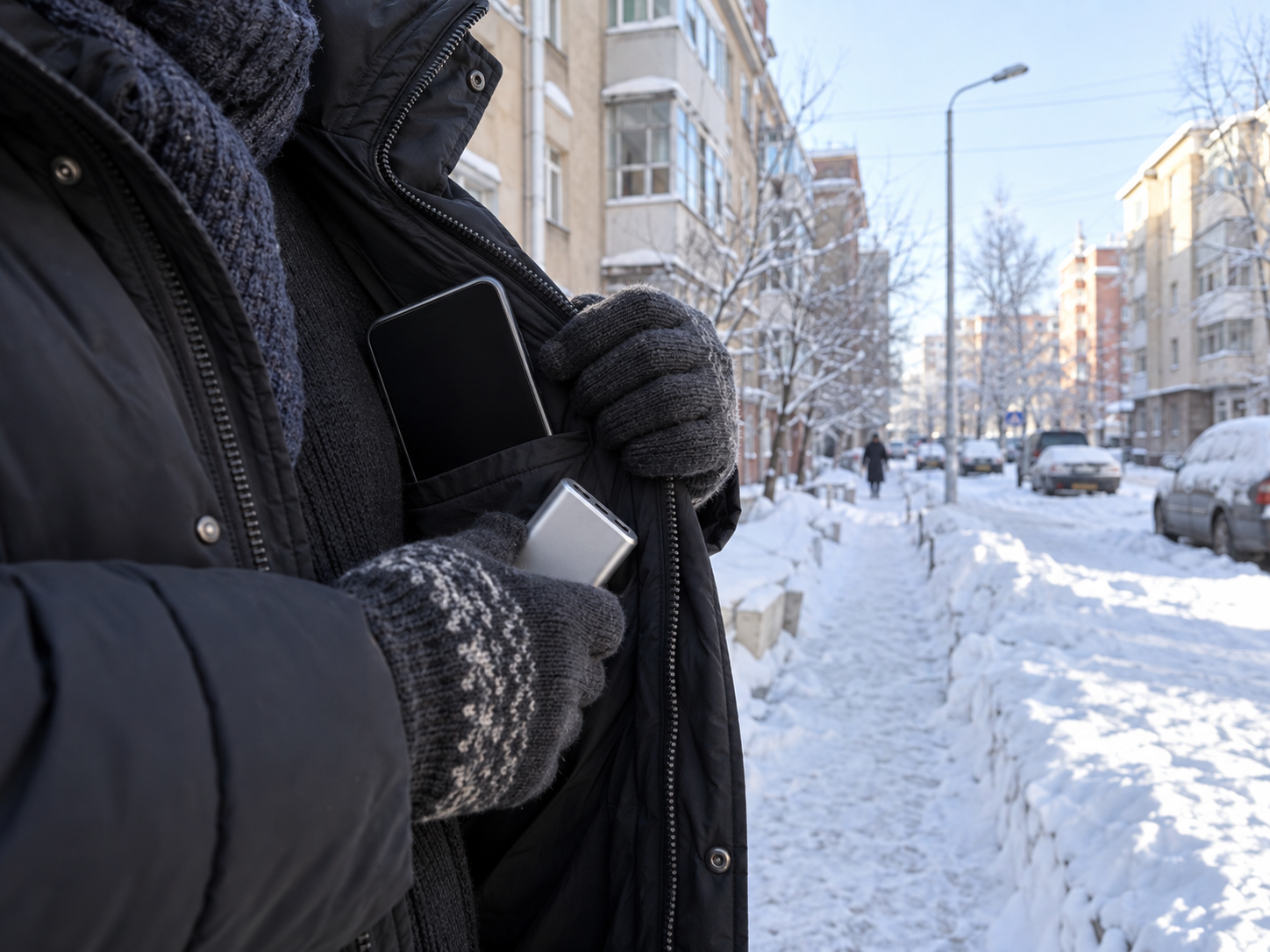
If you are preparing a phone for Ulaanbaatar’s cold weather, start with the manufacturer’s operating-temperature guidance for your exact phone and power bank, then plan for temporary loss of battery performance below freezing. Keep your route, accommodation details, emergency contacts, and essential addresses available away from the phone, and let a cold device warm gradually indoors before charging or using it heavily.
Cold weather can affect both battery life and the reliability of the device you depend on for maps, translation, messages, transport information, and access details. The safest preparation combines the instructions for your specific hardware with a backup plan for the moments when the battery indicator becomes unreliable or the phone shuts down.
Start with the actual device guidance
Begin with the support page and safety guide for your phone model. Apple publishes separate guidance for iPhone handling and operating temperature. Google provides temperature, safety, and regulatory guidance for Pixel devices. Other manufacturers may specify different operating, storage, charging, and humidity limits.
The model matters because “smartphone” is not a sufficiently precise category for a safety decision. A recent phone and an older phone may use different batteries, charging systems, seals, and temperature controls. Your power bank may also have its own operating limits. Check both devices before you travel.
Look specifically for four kinds of information:
- The recommended operating-temperature range.
- The permitted storage-temperature range.
- Any warning about charging outside the recommended range.
- Instructions for what to do when the device becomes too hot or too cold.
Apple’s iPhone guidance says iPhones are designed for use in ambient temperatures within a stated range and may change behavior outside it. Apple also warns that very cold conditions can temporarily shorten battery life or cause a device to turn off. Google gives Pixel users temperature-related safety guidance and advises following the instructions for the device rather than guessing.
Save the relevant support page for offline access before leaving reliable internet. You can also save a screenshot or PDF of the key instructions, provided the saved copy is readable and matches your model. Record the exact model name in your travel notes so you can find the correct guidance later.
Check the power bank separately. A power bank can be full while still being unsuitable for charging in very cold conditions. Its battery chemistry, charging controls, casing, and manufacturer instructions determine how it should be stored and used. Keep it inside your bag or clothing layer according to the manufacturer’s instructions, and avoid leaving it exposed on a vehicle seat, outside table, or luggage compartment for long periods.
If you use wireless earbuds, a smartwatch, a tablet, or a second phone for navigation, check those devices too. The weakest device in your travel setup can become the point of failure.
Treat sub-zero use as a reliability risk
Ulaanbaatar has a cold continental climate, and winter conditions can place a phone well outside its preferred operating range. The Ulaanbaatar Tourism temperature information shows why the season matters: winter temperatures can be deeply sub-zero, with conditions changing during the day and between locations.
The practical issue is reduced reliability. In cold conditions, a battery may appear to lose charge quickly, report a lower percentage than expected, or shut down even when the screen previously showed useful battery remaining. Touch response, camera behavior, charging, and network use can also become less dependable when the device is cold.
A phone that works normally inside a heated apartment may behave differently during a long walk, a wait for transport, or a route across an unfamiliar part of the city. That difference can matter if you are using the device to locate accommodation, contact a host, translate an address, or show a reservation.
Treat the battery indicator as a limited estimate during prolonged exposure to sub-zero temperatures. It still provides useful information, but it should not be your only plan. A displayed percentage does not guarantee that the phone will remain available for the rest of your route.
Reduce avoidable strain before going outside. Download maps or other permitted offline information while connected to stable internet. Close functions you do not need. Lower screen brightness when practical. Keep the phone in an insulated inner pocket, and avoid repeatedly taking it out to check the route.
The trade-off is convenience. Keeping the phone protected may make it slower to reach, and using offline information may provide less live detail than a continuous data connection. Those limits are preferable to discovering that the only copy of your address is unavailable when the battery falls suddenly.
For a deeper preparation checklist, see How Can I Keep My Phone Alive at −20°C in Ulaanbaatar?. Use the manufacturer’s instructions for your actual device when the general advice differs.
Carry route and contact backups
Before leaving your accommodation, make sure the information needed to complete the day exists in more than one place. The goal is continuity if the phone becomes unavailable.
Write down or print the essentials:
- The full address of your accommodation, including the district or neighborhood.
- A local contact number for your host, residence, school, employer, or accommodation provider.
- Your planned destination and any important meeting point.
- The name and address of the first place you need to reach.
- Emergency contact information relevant to your situation.
- Booking references, access instructions, or check-in details that cannot be recovered easily.
- A trusted person who knows where you are going and when you expect to arrive.
Keep a paper copy in a separate pocket from your phone. A second digital copy can be stored on another device, such as a laptop or a companion’s phone, if that device is available. An email inbox is useful only when you can still access it, so do not treat an online account as your only backup.
Make addresses easy for another person to read. Copy the address exactly as supplied by the accommodation provider or organization, and include a phone number if one exists. If the address can be written in more than one script or language, save the versions already provided by the responsible organization. Do not improvise a translation for a critical location if you can avoid it.
Prepare a short route card for each important journey. Include the starting point, destination, an alternative landmark, and the contact to call if the meeting point changes. This is especially useful during your first days in a new city, when a familiar map interface may be less helpful than a clearly written destination.
If your route depends on live transport information, save the planned departure window and a fallback destination. A cold-weather backup does not need to reproduce every feature of your phone. It needs to help you explain where you are going and reach someone who can help.
Do not rely on a stranger’s phone as your entire backup strategy. You may be unable to communicate in the same language, have no signal, or feel uncomfortable handing over private account information. Keep enough offline information to start the conversation safely.
Warm a cold device gradually
When you bring a cold phone indoors, let it warm gradually before charging it or exposing it to a sudden heat source. Follow the manufacturer’s instructions for your device.
Do not place the phone directly on a radiator, heater, heated blanket, hot-water bottle, stove, or other concentrated heat source. Do not use a hair dryer. Do not seal a visibly cold or damp phone in a way that traps moisture against its ports. Sudden heating can create condensation, and concentrated heat can damage components or create a safety risk.
Leave the device in a dry indoor location and allow its temperature to rise naturally. Keep it away from water and from places where it could be knocked onto a hot surface. If the phone shows a temperature warning, follow the message and the manufacturer’s instructions.
Charging deserves extra care. A cold battery may not accept charge normally, and a device that has moved rapidly from cold air to warm, humid air may have moisture concerns. Wait until the phone has reached a normal indoor temperature and is dry before connecting a charger, unless the manufacturer provides different instructions for the specific warning.
The same principle applies to a power bank. Do not assume that because it has no screen it can be charged immediately after being outside. Check its guidance, let it return to a suitable temperature, and inspect the casing, cable, and ports before use.
If the phone has stopped working in the cold, resist the urge to keep restarting it or repeatedly connecting and disconnecting the charger. Put it somewhere safe, let it warm naturally, and then follow the device maker’s troubleshooting guidance. If the phone is damaged, swollen, wet, or unusually hot, stop using it and seek qualified support.
Plan the day around the current forecast
The general winter climate gives useful context, but your decision should use the current forecast for the specific day and route. Check the forecast before leaving, then consider how long the phone will remain outside your protective layer.
A short walk from a heated building to a vehicle creates a different exposure pattern from a long wait outdoors. A phone used briefly and returned to an inner pocket may cope differently from one held continuously for navigation. Wind, precipitation, sunlight, transport delays, and access to heated indoor spaces can change the practical risk.
Before departure, make a simple plan:
- Charge the phone indoors while it is at a suitable temperature.
- Charge the power bank indoors and check its condition.
- Download information that may be needed without a connection.
- Put route and contact details on paper.
- Decide where the phone will stay protected during the journey.
- Identify a heated place where you can stop if the device becomes unreliable.
- Tell someone your intended route if the journey is unfamiliar.
- Leave enough time for delays instead of depending on a nearly empty battery.
Avoid planning around the lowest battery percentage that might theoretically complete the route. Cold can reduce the margin you thought you had. If the trip is important, carry more battery capacity than the route requires and keep that capacity protected according to the manufacturers’ instructions.
For relocation tasks, connect this phone preparation with the rest of your arrival plan. Your address, permit appointment, document checklist, accommodation access, and local contacts should be available in a form you can use if the phone is temporarily unavailable. Aqee is designed to help organize the move from the first day through settling into a new country, including practical tasks that compete for your attention during arrival.
What to do next
Create an Aqee local-settlement checklist. Add your accommodation address, local contact details, first route, emergency information, document reminders, and any appointment or arrival task that depends on your phone.
Then complete this device check before your next cold-weather trip:
- Find the manufacturer’s operating and charging guidance for your exact phone.
- Find the guidance for your power bank.
- Save the essential route and contact information offline and on paper.
- Charge both devices indoors at a suitable temperature.
- Check the current forecast and plan where the phone will stay protected.
- Decide where you will warm the device if it becomes cold or unreliable.
- Test that a trusted person can identify your location and accommodation without access to your phone.
This preparation has a clear purpose: preserve access to the information that helps you move safely through an unfamiliar city, even when the device carrying it needs time to recover. A phone can be replaced or recharged. Finding your way to a new home is easier when the address and the person waiting for you exist somewhere beyond one battery.
Sources and update note: Guidance should be checked against the current instructions for your device and power bank. Consult Apple’s iPhone handling and operating-temperature guidance, Apple’s very hot or cold device guidance, Google Pixel temperature guidance, Google Pixel safety and regulatory guidance, and Ulaanbaatar Tourism’s city temperature information. Recheck these sources before travel because device guidance and local conditions can change.
Sources
- Apple Support, iPhone handling and operating temperature, checked 2026-09-25.
- Apple Support, very hot or cold device guidance, checked 2026-09-25.
- Google Pixel Help, device temperature guidance, checked 2026-09-25.
- Google Pixel Help, safety and regulatory guide, checked 2026-09-25.
- Ulaanbaatar Tourism, annual city temperature information, checked 2026-09-25.
Related Aqee guide
Keep the practical follow-up in your wider move plan with Aqee’s relocation planning guide.


