
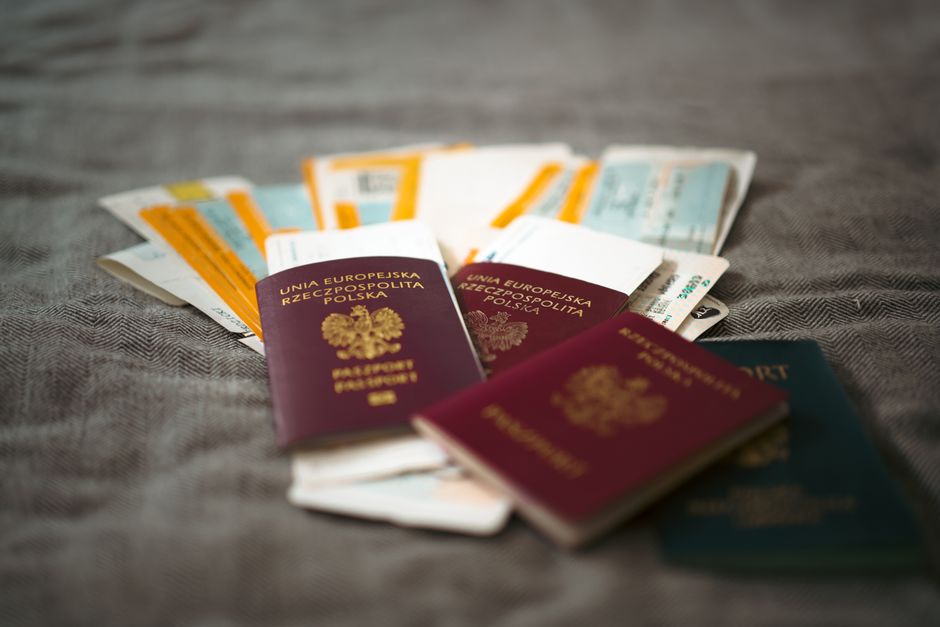
Before you leave the airport in Mexico, save searchable copies of your passport, entry record, visa, and any immigration appointment files in one secure folder. This gives you a reliable starting point for later registration, renewal, housing, banking, and travel tasks, even when the original documents are packed away.
In April 1970, carbon dioxide was rising inside Apollo 13. The crew had moved into the lunar module after an oxygen tank failure, but the module’s filters were not designed to support three people for the journey home. The command module had spare square filter cartridges. The lunar module used round openings.
The materials existed. The immediate problem was making the right pieces usable together.
What Apollo 13’s filter problem teaches us about documents
NASA engineer Ed Smylie and his colleagues worked out how the astronauts could connect the incompatible filters using materials already aboard the spacecraft. Mission control then guided the crew through the improvised assembly. NASA’s historical account documents how that solution helped control the dangerous carbon dioxide buildup before the crew returned safely to Earth.
The stakes of arriving in Mexico are far smaller, but the mechanism is familiar. You may have every document you need and still struggle to use it when the files are scattered across an inbox, a suitcase pocket, a messaging app, and a folder named “Travel Final 2.”
A border document becomes useful later because you can find it, identify it, and connect it to the next task. That is why your first calm move should happen before transport, food, or sightseeing starts competing for your attention.
Open Aqee’s searchable vault while the arrival details are still fresh. Add the documents that establish how you entered Mexico and what immigration path you are following. You are building the adapter before you need it.
Save the four records that anchor your arrival
Start with your passport identity page. Capture a clear image with all edges visible, then give the file a name you will recognize months later, such as “Passport identity page.” Avoid vague names copied from your camera roll.
Next, save your entry record in the form you received or accessed. Mexico’s arrival procedures can vary by traveler and point of entry, so preserve what was actually issued or recorded for you. Do not assume another traveler’s paperwork should look identical.
Add the visa or authorization connected to your move, if one applies. Include both the full document and any page containing conditions you may need to check later. Aqee’s expiration tracking can help you keep important dates visible without relying on memory.
Finally, add your appointment confirmation and related files if you already have an immigration appointment. Save the complete confirmation, not only a screenshot of the date. The address, reference number, instructions, or attachment may matter when you prepare for the visit.
Use plain, consistent labels:
- Passport identity page
- Mexico entry record
- Visa or immigration authorization
- Immigration appointment confirmation
Add the issue or appointment date to a filename when it helps distinguish versions. Keep expired or replaced documents clearly marked rather than silently overwriting them. An old record may still explain part of your immigration history.
Check each file before the city takes over
Airport Wi-Fi, low battery, glare, and travel fatigue make this an imperfect filing desk. You do not need perfection. You need copies that remain readable when you are standing at a counter later.
Open every saved file once. Check that names, dates, reference numbers, stamps, and QR codes are visible. If a document has multiple pages, confirm that you captured all of them in the right order. Search for one file by a word in its title to make sure your naming system works.
Keep the physical originals protected and separate from the digital copies. A searchable vault helps you retrieve information and prepare for appointments, but it does not replace an original when an authority asks to see one.
You may also want an offline note containing the exact filenames you created. That small backup helps when mobile service is patchy or your battery is fading. The same principle appears in The Offline Note Mina Didn’t Have, and What It Almost Cost Her in Seoul: access matters as much as possession.
Once the four core records are saved and checked, stop. This is not the moment to solve every permit, tax, housing, and banking question. Too many open tasks turn arrival into a blur. Aqee’s milestones can hold the wider path while you focus on the next useful step.
Turn scattered paperwork into a usable relocation path
Later, a residence permit renewal or appointment may send you back through months of records. The searchable vault gives that future task a clear beginning. You can find the document, check the relevant date, and see how it connects to your relocation timeline.
This is the practical bridge from Apollo 13: having the pieces nearby did not solve the filter problem. The team needed an orderly way to identify them, connect them, and use them under pressure. Your immigration folder does the quieter version of that work.
After saving the four files, choose one small city task. Confirm the route to your accommodation. Find water and something to eat. Walk around the block and identify a landmark you can recognize on the way back. If you enjoy turning arrival into a short series of wins, Lima Before Breakfast: Your Four-Win Day 0 Checklist offers a useful rhythm that travels well.
Ed Smylie’s team began with an inventory of what was available. You can do the same before leaving the airport: four records, readable copies, clear names, one dependable place to find them. Then close the folder and meet the city.


